> ## Documentation Index
> Fetch the complete documentation index at: https://autonomy.computer/docs/llms.txt
> Use this file to discover all available pages before exploring further.

# Static docs to in-product agents

> Use Autonomy to embed your documentation into your product as intelligent voice and text-based conversational agents that deliver tailored answers based on a user's current context and intent.

export const DocsChatVoice = () => {
  const [messages, setMessages] = useState([{
    role: "assistant",
    content: "Hey! I am your interface to a team of agents that were just created, just for you, on Autonomy Computer. This is a live demo. We have access to dozens of pages of documentation and general information about Autonomy! We are part of a multi-tenant application to demonstrate that every user gets a sandboxed set of agents - each with its own unique identity, state, memory, and tools."
  }]);
  const [input, setInput] = useState("");
  const [isLoading, setIsLoading] = useState(false);
  const [visitorId] = useState(() => Math.random().toString(36).slice(2));
  const [conversationId] = useState(() => Math.random().toString(36).slice(2));
  const chatAreaRef = useRef(null);
  const [voiceState, setVoiceState] = useState("idle");
  const wsRef = useRef(null);
  const mediaStreamRef = useRef(null);
  const audioContextRef = useRef(null);
  const workletNodeRef = useRef(null);
  const playbackContextRef = useRef(null);
  const nextPlayTimeRef = useRef(0);
  const scheduledSourcesRef = useRef([]);
  const isRecordingRef = useRef(false);
  const isSpeakingRef = useRef(false);
  const lastAudioPlayTimeRef = useRef(0);
  const DOCS_API_BASE = "https://a9eb812238f753132652ae09963a05e9-docs.cluster.autonomy.computer";
  const DOCS_WS_BASE = "wss://a9eb812238f753132652ae09963a05e9-docs.cluster.autonomy.computer";
  const AUDIO_WORKLET_CODE = `
    class PCMProcessor extends AudioWorkletProcessor {
      constructor() {
        super();
        this.bufferSize = 4096;
        this.buffer = new Float32Array(this.bufferSize);
        this.bufferIndex = 0;
      }
      process(inputs, outputs, parameters) {
        const input = inputs[0];
        if (input && input[0]) {
          const inputData = input[0];
          for (let i = 0; i < inputData.length; i++) {
            this.buffer[this.bufferIndex++] = inputData[i];
            if (this.bufferIndex >= this.bufferSize) {
              const pcm16 = new Int16Array(this.bufferSize);
              let maxLevel = 0;
              for (let j = 0; j < this.bufferSize; j++) {
                const s = Math.max(-1, Math.min(1, this.buffer[j]));
                pcm16[j] = s < 0 ? s * 0x8000 : s * 0x7FFF;
                const absVal = Math.abs(this.buffer[j]);
                if (absVal > maxLevel) maxLevel = absVal;
              }
              this.port.postMessage({ pcm16: pcm16.buffer, maxLevel }, [pcm16.buffer]);
              this.buffer = new Float32Array(this.bufferSize);
              this.bufferIndex = 0;
            }
          }
        }
        return true;
      }
    }
    registerProcessor('pcm-processor', PCMProcessor);
  `;
  useEffect(() => {
    if (chatAreaRef.current) {
      chatAreaRef.current.scrollTop = chatAreaRef.current.scrollHeight;
    }
  }, [messages]);
  useEffect(() => {
    return () => {
      stopVoiceSession();
    };
  }, []);
  const clearAudioQueue = useCallback(() => {
    if (scheduledSourcesRef.current.length === 0) return;
    scheduledSourcesRef.current.forEach(source => {
      try {
        source.stop();
      } catch {}
    });
    scheduledSourcesRef.current = [];
    if (playbackContextRef.current) {
      nextPlayTimeRef.current = playbackContextRef.current.currentTime;
    }
  }, []);
  const playAudioChunk = useCallback(async base64Audio => {
    try {
      if (!playbackContextRef.current) {
        playbackContextRef.current = new AudioContext({
          sampleRate: 24000
        });
        nextPlayTimeRef.current = playbackContextRef.current.currentTime + 0.05;
      }
      if (scheduledSourcesRef.current.length === 0) {
        lastAudioPlayTimeRef.current = Date.now();
      }
      const audioBytes = Uint8Array.from(atob(base64Audio), c => c.charCodeAt(0));
      const pcm16 = new Int16Array(audioBytes.buffer);
      const float32 = new Float32Array(pcm16.length);
      for (let i = 0; i < pcm16.length; i++) {
        float32[i] = pcm16[i] / 32768.0;
      }
      const audioBuffer = playbackContextRef.current.createBuffer(1, float32.length, 24000);
      audioBuffer.getChannelData(0).set(float32);
      const source = playbackContextRef.current.createBufferSource();
      source.buffer = audioBuffer;
      source.connect(playbackContextRef.current.destination);
      source.onended = () => {
        scheduledSourcesRef.current = scheduledSourcesRef.current.filter(s => s !== source);
      };
      scheduledSourcesRef.current.push(source);
      const currentTime = playbackContextRef.current.currentTime;
      if (nextPlayTimeRef.current < currentTime) {
        nextPlayTimeRef.current = currentTime + 0.03;
      }
      source.start(nextPlayTimeRef.current);
      nextPlayTimeRef.current += audioBuffer.duration;
    } catch (error) {
      console.error("Error playing audio:", error);
    }
  }, []);
  const handleServerMessage = useCallback(async data => {
    const eventType = data.type;
    switch (eventType) {
      case "connected":
        break;
      case "audio":
        isSpeakingRef.current = true;
        setVoiceState("speaking");
        await playAudioChunk(data.audio);
        break;
      case "transcript":
        if (data.role === "user") {
          setMessages(prev => [...prev, {
            role: "user",
            content: data.text
          }]);
        } else {
          setMessages(prev => [...prev, {
            role: "assistant",
            content: data.text
          }]);
        }
        break;
      case "speech_started":
        if (scheduledSourcesRef.current.length > 0) {
          clearAudioQueue();
        }
        isSpeakingRef.current = false;
        setVoiceState("listening");
        break;
      case "speech_stopped":
        setVoiceState("processing");
        break;
      case "response_complete":
        isSpeakingRef.current = false;
        setVoiceState("listening");
        break;
      case "error":
        const errorMsg = data.error;
        if (errorMsg && !errorMsg.includes("no active response")) {
          console.error("Voice error:", errorMsg);
          setVoiceState("idle");
        }
        break;
    }
  }, [clearAudioQueue, playAudioChunk]);
  const startVoiceSession = useCallback(async () => {
    try {
      setVoiceState("connecting");
      const wsUrl = `${DOCS_WS_BASE}/agents/docs/voice?scope=${visitorId}&conversation=${conversationId}`;
      const ws = new WebSocket(wsUrl);
      wsRef.current = ws;
      ws.onopen = () => {
        ws.send(JSON.stringify({
          type: "config"
        }));
      };
      ws.onmessage = async event => {
        try {
          const data = JSON.parse(event.data);
          await handleServerMessage(data);
        } catch (err) {
          console.error("Error handling message:", err);
        }
      };
      ws.onerror = error => {
        console.error("WebSocket error:", error);
        setVoiceState("idle");
      };
      ws.onclose = () => {
        isRecordingRef.current = false;
        if (mediaStreamRef.current) {
          mediaStreamRef.current.getTracks().forEach(track => track.stop());
          mediaStreamRef.current = null;
        }
        if (workletNodeRef.current) {
          workletNodeRef.current.disconnect();
          workletNodeRef.current = null;
        }
        if (audioContextRef.current) {
          audioContextRef.current.close();
          audioContextRef.current = null;
        }
        setVoiceState("idle");
      };
      await new Promise((resolve, reject) => {
        const timeout = setTimeout(() => reject(new Error("Connection timeout")), 5000);
        ws.addEventListener("open", () => {
          clearTimeout(timeout);
          resolve();
        });
        ws.addEventListener("error", () => {
          clearTimeout(timeout);
          reject(new Error("Connection failed"));
        });
      });
      const stream = await navigator.mediaDevices.getUserMedia({
        audio: {
          channelCount: 1,
          sampleRate: 24000,
          echoCancellation: true,
          noiseSuppression: true,
          autoGainControl: true
        }
      });
      mediaStreamRef.current = stream;
      const audioContext = new AudioContext({
        sampleRate: 24000
      });
      audioContextRef.current = audioContext;
      const blob = new Blob([AUDIO_WORKLET_CODE], {
        type: "application/javascript"
      });
      const workletUrl = URL.createObjectURL(blob);
      try {
        await audioContext.audioWorklet.addModule(workletUrl);
      } finally {
        URL.revokeObjectURL(workletUrl);
      }
      const source = audioContext.createMediaStreamSource(stream);
      const workletNode = new AudioWorkletNode(audioContext, "pcm-processor");
      workletNodeRef.current = workletNode;
      workletNode.port.onmessage = e => {
        if (!isRecordingRef.current || !wsRef.current || wsRef.current.readyState !== WebSocket.OPEN) return;
        const {pcm16, maxLevel} = e.data;
        const timeSinceAudioStart = Date.now() - lastAudioPlayTimeRef.current;
        if (isSpeakingRef.current && scheduledSourcesRef.current.length > 0 && maxLevel > 0.25 && timeSinceAudioStart > 1000) {
          clearAudioQueue();
          isSpeakingRef.current = false;
          setVoiceState("listening");
        }
        const audioBase64 = btoa(String.fromCharCode(...new Uint8Array(pcm16)));
        wsRef.current.send(JSON.stringify({
          type: "audio",
          audio: audioBase64
        }));
      };
      source.connect(workletNode);
      workletNode.connect(audioContext.destination);
      isRecordingRef.current = true;
      setVoiceState("listening");
    } catch (error) {
      console.error("Error starting voice session:", error);
      setVoiceState("idle");
      stopVoiceSession();
    }
  }, [handleServerMessage, clearAudioQueue, visitorId, conversationId]);
  const stopRecording = useCallback(() => {
    isRecordingRef.current = false;
    if (workletNodeRef.current) {
      workletNodeRef.current.disconnect();
      workletNodeRef.current = null;
    }
    if (mediaStreamRef.current) {
      mediaStreamRef.current.getTracks().forEach(track => track.stop());
      mediaStreamRef.current = null;
    }
    if (audioContextRef.current) {
      audioContextRef.current.close();
      audioContextRef.current = null;
    }
  }, []);
  const stopVoiceSession = useCallback(() => {
    stopRecording();
    clearAudioQueue();
    if (wsRef.current) {
      if (wsRef.current.readyState === WebSocket.OPEN) {
        wsRef.current.send(JSON.stringify({
          type: "close"
        }));
      }
      wsRef.current.close();
      wsRef.current = null;
    }
    if (playbackContextRef.current) {
      playbackContextRef.current.close();
      playbackContextRef.current = null;
    }
    setVoiceState("idle");
  }, [stopRecording, clearAudioQueue]);
  const toggleVoice = useCallback(() => {
    if (voiceState === "idle") {
      startVoiceSession();
    } else {
      stopVoiceSession();
    }
  }, [voiceState, startVoiceSession, stopVoiceSession]);
  const handleSubmit = async e => {
    e.preventDefault();
    if (!input.trim() || isLoading || voiceState !== "idle") return;
    const userMessage = input.trim();
    setInput("");
    setMessages(prev => [...prev, {
      role: "user",
      content: userMessage
    }]);
    setIsLoading(true);
    try {
      const response = await fetch(`${DOCS_API_BASE}/agents/docs?stream=true`, {
        method: "POST",
        headers: {
          "Content-Type": "application/json"
        },
        body: JSON.stringify({
          message: userMessage,
          scope: visitorId,
          conversation: conversationId
        })
      });
      if (!response.ok) throw new Error("Failed to get response");
      const reader = response.body.getReader();
      const decoder = new TextDecoder();
      setMessages(prev => [...prev, {
        role: "assistant",
        content: ""
      }]);
      let buffer = "";
      let fullText = "";
      while (true) {
        const {done, value} = await reader.read();
        if (done) break;
        buffer += decoder.decode(value, {
          stream: true
        });
        const lines = buffer.split("\n");
        buffer = lines.pop() || "";
        for (const line of lines) {
          if (!line.trim()) continue;
          try {
            const parsed = JSON.parse(line);
            if (parsed.type === "conversation_snippet" && parsed.messages) {
              for (const msg of parsed.messages) {
                if (msg.role === "assistant" && msg.content?.text) {
                  fullText += msg.content.text;
                  const currentText = fullText;
                  setMessages(prev => {
                    const updated = [...prev];
                    const lastIndex = updated.length - 1;
                    if (lastIndex >= 0 && updated[lastIndex].role === "assistant") {
                      updated[lastIndex] = {
                        ...updated[lastIndex],
                        content: currentText
                      };
                    }
                    return updated;
                  });
                }
              }
            } else if (parsed.text) {
              fullText += parsed.text;
              const currentText = fullText;
              setMessages(prev => {
                const updated = [...prev];
                const lastIndex = updated.length - 1;
                if (lastIndex >= 0 && updated[lastIndex].role === "assistant") {
                  updated[lastIndex] = {
                    ...updated[lastIndex],
                    content: currentText
                  };
                }
                return updated;
              });
            }
          } catch {}
        }
      }
    } catch (error) {
      console.error("Chat error:", error);
      setMessages(prev => [...prev, {
        role: "assistant",
        content: "Sorry, I encountered an error. Please try again."
      }]);
    } finally {
      setIsLoading(false);
    }
  };
  const getVoiceStatusText = () => {
    switch (voiceState) {
      case "connecting":
        return "Connecting...";
      case "listening":
        return "Listening...";
      case "processing":
        return "Thinking...";
      case "speaking":
        return "Speaking...";
      default:
        return "Click to talk";
    }
  };
  const ThinkingIndicator = () => {
    const [dots, setDots] = useState("");
    useEffect(() => {
      const interval = setInterval(() => {
        setDots(prev => prev.length >= 3 ? "" : prev + ".");
      }, 400);
      return () => clearInterval(interval);
    }, []);
    return <span style={{
      color: "var(--text-muted, #9ca3af)"
    }}>Thinking{dots}</span>;
  };
  const styles = {
    container: {
      border: "1px solid var(--border-color, #e5e7eb)",
      borderRadius: "12px",
      overflow: "hidden",
      backgroundColor: "var(--background-color, #fff)"
    },
    layout: {
      display: "flex",
      flexDirection: "row",
      height: "500px"
    },
    chatPanel: {
      flex: "1 1 70%",
      display: "flex",
      flexDirection: "column",
      borderRight: "1px solid var(--border-color, #e5e7eb)"
    },
    voicePanel: {
      flex: "1 1 30%",
      display: "flex",
      flexDirection: "column",
      alignItems: "center",
      justifyContent: "center",
      padding: "24px",
      backgroundColor: "var(--background-color, #fff)",
      minWidth: "200px"
    },
    chatArea: {
      flex: 1,
      overflowY: "auto",
      padding: "16px",
      display: "flex",
      flexDirection: "column",
      gap: "12px",
      backgroundColor: "var(--background-muted, #f9fafb)",
      maxHeight: "400px"
    },
    messageRow: {
      display: "flex",
      gap: "8px",
      alignItems: "flex-start"
    },
    userRow: {
      justifyContent: "flex-end"
    },
    avatar: {
      width: "28px",
      height: "28px",
      borderRadius: "50%",
      display: "flex",
      alignItems: "center",
      justifyContent: "center",
      fontSize: "12px",
      flexShrink: 0
    },
    assistantAvatar: {
      backgroundColor: "#f54a00",
      color: "white"
    },
    userAvatar: {
      backgroundColor: "var(--background-muted, #e5e7eb)",
      color: "var(--text-color, #374151)"
    },
    bubble: {
      maxWidth: "80%",
      padding: "10px 14px",
      borderRadius: "16px",
      fontSize: "14px",
      lineHeight: "1.5"
    },
    assistantBubble: {
      backgroundColor: "var(--background-color, #fff)",
      border: "1px solid var(--border-color, #e5e7eb)",
      color: "var(--text-color, #374151)"
    },
    userBubble: {
      backgroundColor: "#f54a00",
      color: "white"
    },
    inputArea: {
      borderTop: "1px solid var(--border-color, #e5e7eb)",
      padding: "12px 16px",
      backgroundColor: "var(--background-color, #fff)"
    },
    form: {
      display: "flex",
      gap: "8px"
    },
    input: {
      flex: 1,
      padding: "10px 14px",
      borderRadius: "8px",
      border: "2px solid transparent",
      fontSize: "14px",
      backgroundColor: "var(--background-color, #fff)",
      color: "var(--text-color, #374151)",
      outline: "none",
      backgroundImage: "linear-gradient(var(--background-color, #fff), var(--background-color, #fff)), linear-gradient(90deg, #f54a00, #ff8055, #f54a00)",
      backgroundOrigin: "border-box",
      backgroundClip: "padding-box, border-box",
      animation: "border-glow 3s linear infinite",
      backgroundSize: "100% 100%, 200% 100%"
    },
    button: {
      padding: "10px 16px",
      borderRadius: "8px",
      border: "none",
      backgroundColor: "#f54a00",
      color: "white",
      fontSize: "14px",
      fontWeight: "500",
      cursor: "pointer",
      display: "flex",
      alignItems: "center",
      gap: "6px",
      transition: "all 0.3s ease",
      animation: "button-pulse 2s ease-in-out infinite",
      boxShadow: "0 2px 10px rgba(245, 74, 0, 0.3)"
    },
    buttonDisabled: {
      opacity: 0.5,
      cursor: "not-allowed",
      animation: "none",
      boxShadow: "none"
    },
    voiceCircleContainer: {
      position: "relative",
      display: "flex",
      alignItems: "center",
      justifyContent: "center"
    },
    pulseRing: {
      position: "absolute",
      width: "100px",
      height: "100px",
      borderRadius: "50%",
      border: "2px solid rgba(245, 74, 0, 0.4)",
      animation: "pulse-ring 2.5s ease-out infinite"
    },
    voiceCircle: {
      position: "relative",
      width: "100px",
      height: "100px",
      borderRadius: "50%",
      background: voiceState === "idle" ? "linear-gradient(135deg, #f54a00 0%, #c44d24 100%)" : voiceState === "speaking" ? "linear-gradient(135deg, #ff8055 0%, #f54a00 100%)" : "linear-gradient(135deg, #f54a00 0%, #c44d24 100%)",
      display: "flex",
      alignItems: "center",
      justifyContent: "center",
      cursor: isLoading ? "not-allowed" : "pointer",
      transition: "all 0.3s ease",
      boxShadow: voiceState === "idle" ? "0 10px 40px rgba(245, 74, 0, 0.3), inset 0 2px 10px rgba(255, 255, 255, 0.1)" : "0 10px 60px rgba(245, 74, 0, 0.5), 0 0 60px rgba(245, 74, 0, 0.35), inset 0 2px 15px rgba(255, 255, 255, 0.15)",
      opacity: isLoading ? 0.5 : 1,
      border: "none",
      animation: voiceState === "idle" ? "pulse-glow 2.5s ease-in-out infinite" : "none"
    },
    voiceStatus: {
      marginTop: "16px",
      fontSize: "14px",
      fontWeight: "500",
      color: voiceState !== "idle" ? "#f54a00" : "var(--text-muted, #9ca3af)"
    },
    voiceHint: {
      marginTop: "8px",
      fontSize: "12px",
      color: "var(--text-muted, #9ca3af)",
      textAlign: "center",
      maxWidth: "160px"
    },
    waveformBars: {
      display: "flex",
      alignItems: "center",
      justifyContent: "center",
      gap: "4px"
    },
    waveformBar: {
      width: "4px",
      backgroundColor: "white",
      borderRadius: "2px",
      transition: "height 0.1s ease"
    }
  };
  const WaveformIcon = ({animated}) => {
    const heights = animated ? [16, 28, 22, 32, 18] : [12, 12, 12, 12, 12];
    return <div style={styles.waveformBars}>
        {heights.map((h, i) => <div key={i} style={{
      ...styles.waveformBar,
      height: `${h}px`,
      animation: animated ? `waveform 0.8s ease-in-out infinite` : "none",
      animationDelay: animated ? `${i * 0.1}s` : "0s"
    }} />)}
      </div>;
  };
  return <div style={styles.container}>
      <style>{`
        @keyframes waveform {
          0%, 100% { transform: scaleY(1); }
          50% { transform: scaleY(1.5); }
        }
        @keyframes pulse-ring {
          0% {
            transform: scale(1);
            opacity: 0.8;
          }
          100% {
            transform: scale(1.5);
            opacity: 0;
          }
        }
        @keyframes pulse-glow {
          0%, 100% {
            box-shadow: 0 0 20px rgba(245, 74, 0, 0.4), 0 0 40px rgba(245, 74, 0, 0.2);
          }
          50% {
            box-shadow: 0 0 30px rgba(245, 74, 0, 0.6), 0 0 60px rgba(245, 74, 0, 0.3);
          }
        }
        @keyframes button-pulse {
          0%, 100% {
            box-shadow: 0 2px 10px rgba(245, 74, 0, 0.3);
            transform: scale(1);
          }
          50% {
            box-shadow: 0 4px 20px rgba(245, 74, 0, 0.5);
            transform: scale(1.02);
          }
        }
        @keyframes border-glow {
          0% {
            background-position: 0% 50%, 0% 50%;
          }
          100% {
            background-position: 0% 50%, 200% 50%;
          }
        }
        @media (max-width: 768px) {
          .docs-chat-layout { flex-direction: column !important; }
          .docs-chat-panel { border-right: none !important; border-bottom: 1px solid var(--border-color, #e5e7eb) !important; }
          .docs-voice-panel { min-height: 200px !important; padding: 16px !important; }
        }
      `}</style>
      <div className="docs-chat-layout" style={styles.layout}>
        <div className="docs-chat-panel" style={styles.chatPanel}>
          <div ref={chatAreaRef} style={styles.chatArea}>
            {messages.map((message, index) => <div key={index} style={{
    ...styles.messageRow,
    ...message.role === "user" ? styles.userRow : {}
  }}>
                {message.role === "assistant" && <div style={{
    ...styles.avatar,
    ...styles.assistantAvatar
  }}>A</div>}
                <div style={{
    ...styles.bubble,
    ...message.role === "user" ? styles.userBubble : styles.assistantBubble
  }}>
                  {message.role === "assistant" && !message.content ? <ThinkingIndicator /> : message.content}
                </div>
                {message.role === "user" && <div style={{
    ...styles.avatar,
    ...styles.userAvatar
  }}>U</div>}
              </div>)}
            {isLoading && messages[messages.length - 1]?.role === "user" && <div style={styles.messageRow}>
                <div style={{
    ...styles.avatar,
    ...styles.assistantAvatar
  }}>A</div>
                <div style={{
    ...styles.bubble,
    ...styles.assistantBubble
  }}>
                  <ThinkingIndicator />
                </div>
              </div>}
          </div>
          <div style={styles.inputArea}>
            <form onSubmit={handleSubmit} style={styles.form}>
              <input type="text" value={input} onChange={e => setInput(e.target.value)} placeholder="Ask about Autonomy..." style={styles.input} disabled={isLoading || voiceState !== "idle"} />
              <button type="submit" disabled={isLoading || !input.trim() || voiceState !== "idle"} style={{
    ...styles.button,
    ...isLoading || !input.trim() || voiceState !== "idle" ? styles.buttonDisabled : {}
  }}>
                <svg width="16" height="16" viewBox="0 0 24 24" fill="none" stroke="currentColor" strokeWidth="2" strokeLinecap="round" strokeLinejoin="round">
                  <line x1="22" y1="2" x2="11" y2="13" />
                  <polygon points="22 2 15 22 11 13 2 9 22 2" />
                </svg>
                Send
              </button>
            </form>
          </div>
        </div>
        <div className="docs-voice-panel" style={styles.voicePanel}>
          <div style={styles.voiceCircleContainer}>
            {voiceState === "idle" && <>
                <div style={{
    ...styles.pulseRing
  }} />
                <div style={{
    ...styles.pulseRing,
    animationDelay: "0.8s"
  }} />
                <div style={{
    ...styles.pulseRing,
    animationDelay: "1.6s"
  }} />
              </>}
            {(voiceState === "listening" || voiceState === "speaking" || voiceState === "processing") && <>
                <div style={{
    ...styles.pulseRing,
    animation: "pulse-ring 2s ease-out infinite"
  }} />
                <div style={{
    ...styles.pulseRing,
    animation: "pulse-ring 2s ease-out infinite",
    animationDelay: "0.5s"
  }} />
                <div style={{
    ...styles.pulseRing,
    animation: "pulse-ring 2s ease-out infinite",
    animationDelay: "1s"
  }} />
              </>}
            <button onClick={toggleVoice} disabled={isLoading} style={styles.voiceCircle} aria-label={voiceState === "idle" ? "Start voice chat" : "Stop voice chat"}>
              <WaveformIcon animated={voiceState === "listening" || voiceState === "speaking"} />
            </button>
          </div>
          <div style={styles.voiceStatus}>{getVoiceStatusText()}</div>
          <div style={styles.voiceHint}>Click to start a voice conversation about Autonomy</div>
        </div>
      </div>
    </div>;
};

Most documentation lives outside the product and treats every reader the same.
Autonomy lets you change that. By running documentation agents inside your app,
you can give users answers that reflect who they are, what they are trying to do,
and where they are in the product.

Here is an example, the following voice enabled agents are powered by Autonomy.
Give it a try, ask it anything about Autonomy, type below or click the microphone to talk:

<DocsChatVoice />

Agents, built with Autonomy, can power text and voice conversations
rooted in knowledge from docs stored in Mintlify, Gitbook,
or other documentation systems. They can also trigger actions in a
product by invoking APIs available to them as tools defined in python.

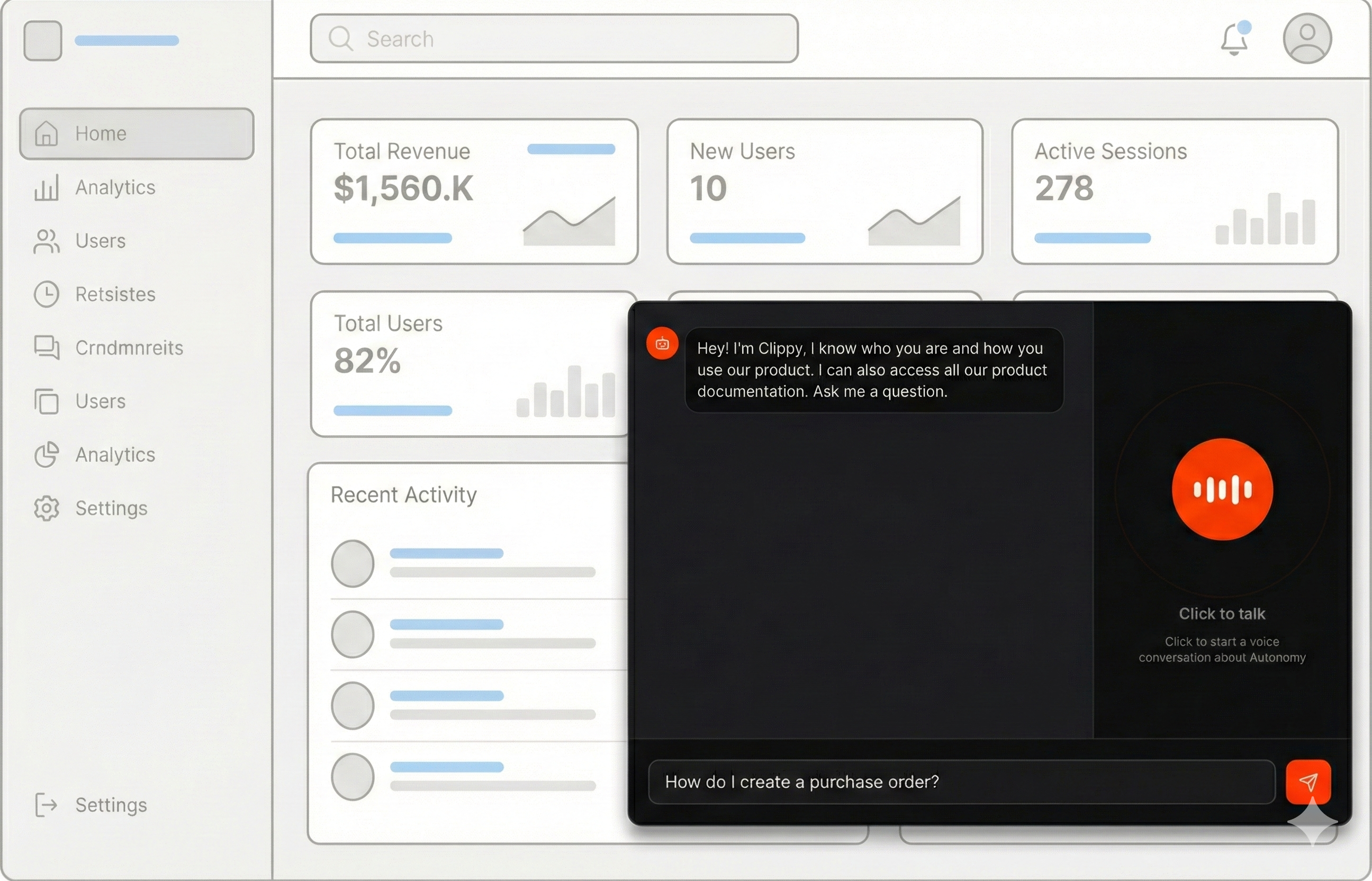
We use this exact pattern on our own website. The chat and voice experience at
[https://autonomy.computer#learn](https://autonomy.computer#learn) runs on Autonomy and connects directly to our
docs stored in Mintlify.

<Frame>
  <img src="https://mintcdn.com/autonomy-docs/XBIan_mfX96ybjZL/guides/images/docs-agents/docs-agents.png?fit=max&auto=format&n=XBIan_mfX96ybjZL&q=85&s=abd0eabe07aa80a90ae2bebbb35f04fa" alt="From docs to in-product agents" width="2592" height="1664" data-path="guides/images/docs-agents/docs-agents.png" />
</Frame>

This lets us tailor the experience of each visitor. Agents receive custom
instructions that adapt responses for different audiences, such as developers,
analysts, investors, or first-time visitors.

***

## Make your docs come alive!

In the next few minutes you can launch an app and apis for agents that:

* Speak answers drawn from your docs.
* Search your docs using vector embeddings.
* Respond fast using a two-agent delegation pattern.
* Reload docs periodically to stay current.
* Work through voice and text.
* Trigger your product's APIs to take actions.

<Steps>
  <Step title="Sign up and install the autonomy command.">
    Complete the [steps to get started](/get-started) with Autonomy.
  </Step>

  <Step title="Get the example code">
    ```bash theme={null}
    curl -sL https://github.com/build-trust/autonomy/archive/refs/heads/main.tar.gz | \
      tar -xz --strip-components=3 autonomy-main/examples/voice/docs
    cd docs
    ```

    This will create a new directory with the complete example:

    ```text File Structure: theme={null}
    docs/
    |-- autonomy.yaml
    |-- images/
        |-- main/
            |-- Dockerfile
            |-- main.py         # Application entry point
            |-- index.html      # Voice and text interface
    ```
  </Step>

  <Step title="Point to your docs">
    Open `images/main/main.py` and update the `INDEX_URL` to point to your documentation:

    ```python images/main/main.py theme={null}
    INDEX_URL = "https://your-docs-site.com/llms.txt"  # Change this
    ```

    The example expects an `llms.txt` file containing markdown links to your documentation pages. This format is common with documentation platforms like Mintlify, Gitbook, and others.
  </Step>

  <Step title="Deploy">
    ```bash theme={null}
    autonomy
    ```

    Once deployed, open your zone URL in a browser to access the voice and text interface.
  </Step>
</Steps>

When a user speaks to the agent, a **voice agent** receives audio over a
websocket and transcribes it. It speaks a brief acknowledgment ("Great question!")
and delegates the question to a **primary agent**, which searches a knowledge
base for relevant documentation and returns a concise answer. This two-agent
pattern ensures low latency while maintaining accuracy through
retrieval-augmented generation.

***

## Customize the agents

**Update the instructions**

The agent instructions define how your agent responds. Customize these for your product:

```python images/main/main.py theme={null}
INSTRUCTIONS = """
You are a developer advocate for [YOUR PRODUCT].
[YOUR PRODUCT] is a platform that [WHAT IT DOES].

You can access a knowledge base containing the complete [YOUR PRODUCT] docs.
ALWAYS use the search_[your_product]_docs tool to find accurate information
before answering.

IMPORTANT: Keep your responses concise - ideally 2-4 sentences. You are primarily
used through a voice interface, so brevity is essential.

- Always search the knowledge base first.
- If you can't find it, say so. Don't make stuff up.
- Use active voice, strong verbs, and short sentences.
"""
```

Also update the voice agent instructions and the knowledge tool name to match your product.

**Tune the Knowledge Base**

Adjust these parameters based on your documentation size and structure:

```python images/main/main.py theme={null}
def create_knowledge():
    return Knowledge(
        name="autonomy_docs",
        searchable=True,
        model=Model("embed-english-v3"),
        max_results=10,
        max_distance=0.4,
        max_knowledge_size=8192,
        chunker=NaiveChunker(max_characters=800, overlap=100),
    )
```

| Option               | Description                                                                                         |
| -------------------- | --------------------------------------------------------------------------------------------------- |
| `max_results`        | Number of relevant chunks to retrieve per query. Increase for broader context.                      |
| `max_distance`       | Similarity threshold (0.0 = exact match, 1.0 = very different). Lower values are stricter.          |
| `max_knowledge_size` | Maximum total size of retrieved context in characters.                                              |
| `chunker`            | Strategy for splitting documents. Smaller chunks improve precision; larger chunks preserve context. |

**Voice Configuration Options**

| Option                    | Description                                                     | Default                   |
| ------------------------- | --------------------------------------------------------------- | ------------------------- |
| `voice`                   | TTS voice: `alloy`, `echo`, `nova`, `shimmer`                   | `echo`                    |
| `realtime_model`          | Model for voice agent                                           | `gpt-4o-realtime-preview` |
| `vad_threshold`           | Voice detection sensitivity (0.0-1.0). Higher = less sensitive. | `0.5`                     |
| `vad_silence_duration_ms` | Silence before end of speech detection                          | `500`                     |
| `delegation_instructions` | Instructions passed when delegating to the primary agent        | None                      |

<Note>
  **Multilingual Support**: The voice agent can detect and transcribe speech in multiple languages.
  If a user speaks in German, for example, the system may transcribe and respond in German automatically.
  To control this behavior, add language instructions to your agent configuration — either enforcing
  English responses by default or enabling intentional multilingual support.
</Note>

**Adding Filesystem Tools (Optional)**

For large documentation sets where semantic search alone may not provide
complete context, you can add filesystem tools as a fallback. This gives the
agent direct access to read complete documentation files.

```python images/main/main.py theme={null}
from autonomy import FilesystemTools, Tool

DOCS_DIR = "/tmp/docs"

# Download docs to filesystem (in addition to knowledge base)
async def download_docs():
  # ... download and save files to DOCS_DIR ...

# Add filesystem tools
fs_tools = FilesystemTools(visibility="all", base_dir=DOCS_DIR)

await Agent.start(
  node=node,
  name="docs",
  tools=[
    knowledge_tool,
    Tool(fs_tools.read_file),
    Tool(fs_tools.list_directory),
    Tool(fs_tools.search_in_files),
  ],
  # ... rest of config
)
```

Update the instructions to guide the agent on when to use each tool:

```python images/main/main.py theme={null}
INSTRUCTIONS = """
...

You have access to two types of tools:

1. **search_docs** - Semantic search (use first)
2. **Filesystem tools** - Direct file access (use when semantic search is insufficient)
   - read_file(path) - Read complete files
   - search_in_files(pattern, path) - Find exact text patterns

ALWAYS start with semantic search. Only use filesystem tools when you need
complete context, exact code examples, or specific configuration values.
"""
```

See [Filesystem access](/agents/filesystem) for more on filesystem tools and
visibility options.

***

## Learn how it works

**Loading Documentation**

The example downloads documentation from URLs and loads them into the knowledge base:

```python images/main/main.py theme={null}
async def load_docs(knowledge: Knowledge):
    print(f"[DOCS] Starting download from {INDEX_URL}")

    try:
        async with httpx.AsyncClient(timeout=30.0) as client:
            response = await client.get(INDEX_URL)
            llms_txt = response.text
        print(f"[DOCS] Fetched index ({len(llms_txt)} chars)")
    except Exception as e:
        print(f"[DOCS] ERROR fetching index: {e}")
        raise

    links = re.findall(r"\[([^\]]+)\]\((https://[^\)]+\.md)\)", llms_txt)

    count = 0
    print(f"[DOCS] Found {len(links)} doc links to download")

    for title, url in links:
        try:
            await knowledge.add_document(
                document_name=title,
                document_url=url,
                content_type="text/markdown",
            )
            count += 1
        except Exception as e:
            print(f"[DOCS] ERROR loading '{title}': {e}")

    print(f"[DOCS] Successfully loaded {count} documents into knowledge base")
    return count
```

The `add_document` method fetches the content from the URL and indexes it for semantic search.

**Voice Agent Delegation**

The voice agent uses a two-step pattern for low-latency responses:

```python images/main/main.py theme={null}
VOICE_INSTRUCTIONS = """
You are a developer advocate for Autonomy.
Autonomy is a platform that developers use to ship autonomous products.

# Critical Rules

- Before delegating, speak a SHORT lead-in (1-4 words max) that acknowledges the user.
  - Good examples: "Great question!", "Good question!", "Glad you asked ...",
    "Right, great question. So ...", "Here's the core idea ...",
    "Sure, here's the core idea ...", "Right, so ...", "Okay, so ..."
  - NEVER say: "Let me...",  "Let me get/explain/break that down"
  - NEVER use phrases that imply fetching, thinking, or processing
- Delegate immediately after the brief acknowledgment.
- NEVER answer questions about Autonomy from your own knowledge - always delegate.

# After Receiving Response
Read the primary agent's response VERBATIM and IN FULL.
Do NOT truncate, summarize, or modify it in any way.

# Personality
- Be friendly but minimal - get to the point fast
- Be direct and confident
- Short acknowledgments, then let the content speak
"""
```

This ensures users hear immediate feedback while the primary agent retrieves accurate information.

**Starting the Agent**

The agent is configured with voice capabilities and the knowledge tool:

```python images/main/main.py theme={null}
async def main(node: Node):
    global knowledge_tool

    knowledge = create_knowledge()
    knowledge_tool = KnowledgeTool(knowledge=knowledge, name="search_autonomy_docs")

    await Agent.start(
        node=node,
        name="docs",
        instructions=INSTRUCTIONS,
        model=Model("claude-sonnet-4-5", max_tokens=256),
        tools=[knowledge_tool],
        context_summary={
            "floor": 20,
            "ceiling": 30,
            "model": Model("claude-sonnet-4-5"),
        },
        voice={
            "voice": "shimmer",
            "instructions": VOICE_INSTRUCTIONS,
            "vad_threshold": 0.7,
            "vad_silence_duration_ms": 700,
            "delegation_instructions": DELEGATION_INSTRUCTIONS,
        },
    )

    await load_docs(knowledge)
    asyncio.create_task(refresh_periodically())


Node.start(main, http_server=HttpServer(app=app))
```

**Auto-Refresh**

The example periodically reloads documentation to stay current:

```python images/main/main.py theme={null}
REFRESH_INTERVAL_SECONDS = 1800  # 30 minutes

async def refresh_periodically():
    while True:
        await asyncio.sleep(REFRESH_INTERVAL_SECONDS)
        try:
            await refresh_knowledge()
        except Exception:
            pass
```

You can also trigger a manual refresh via the HTTP endpoint:

```bash theme={null}
curl -X POST https://your-zone.cluster.autonomy.computer/refresh
```

***

## Add it to your product

Autonomy automatically provides APIs and streaming infrastructure for every
agent you create. This makes is simple to integrate the agents that you created
above into your product.

**HTTP API** — Every agent gets HTTP endpoints out of the box:

```bash theme={null}
# Single response
curl -X POST \
  -H "Content-Type: application/json" \
  -d '{"message": "How do I get started?"}' \
  "https://your-zone.cluster.autonomy.computer/agents/docs"

# Streaming response
curl -X POST \
  -H "Content-Type: application/json" \
  -d '{"message": "What features are available?"}' \
  "https://your-zone.cluster.autonomy.computer/agents/docs?stream=true"
```

**WebSocket API** — Voice agents get WebSocket endpoints for real-time audio streaming:

```javascript /dev/null/example.js theme={null}
const protocol = window.location.protocol === "https:" ? "wss:" : "ws:";
const wsUrl = `${protocol}//${window.location.host}/agents/docs/voice`;

const ws = new WebSocket(wsUrl);
ws.onopen = () => ws.send(JSON.stringify({ type: "config" }));
ws.onmessage = (event) => handleAudioOrTranscript(JSON.parse(event.data));
```

**Multitenancy** — You can isolate conversations per user with
`scope` and `conversation` parameters. Each combination gets its own
[Context](/agents/context) and [Memory](/agents/memory):

```javascript /dev/null/example.js theme={null}
// WebSocket with isolation
const wsUrl = `/agents/docs/voice?scope=${userId}&conversation=${sessionId}`;

// HTTP API with isolation
fetch(`/agents/docs?stream=true`, {
  method: "POST",
  body: JSON.stringify({
    message: userMessage,
    scope: userId,
    conversation: sessionId
  })
});
```

The example includes a complete voice and text UI in `index.html` that you
can adapt for your product. Here are the key parts:

**WebSocket Connection**

Connect to the voice agent with multi-tenant isolation:

```javascript images/main/index.html theme={null}
const id = () => Math.random().toString(36).slice(2);
const visitorId = id();
let conversationId = id();

async function connect() {
  const protocol = window.location.protocol === "https:" ? "wss:" : "ws:";
  const wsUrl = `${protocol}//${window.location.host}/agents/docs/voice?scope=${visitorId}&conversation=${conversationId}`;

  ws = new WebSocket(wsUrl);

  ws.onopen = () => {
    isConnected = true;
    ws.send(JSON.stringify({ type: "config" }));
  };

  ws.onmessage = async (event) => {
    const data = JSON.parse(event.data);
    await handleServerMessage(data);
  };
}
```

* **`scope`** - Isolates memory per user. Each visitor gets their own conversation history.
* **`conversation`** - Isolates memory per session. A user can have multiple separate conversations.

**Audio Capture**

Capture microphone input and send as PCM16:

```javascript images/main/index.html theme={null}
mediaStream = await navigator.mediaDevices.getUserMedia({
  audio: {
    channelCount: 1,
    sampleRate: 24000,
    echoCancellation: true,
    noiseSuppression: true,
    autoGainControl: true,
  },
});

audioContext = new (window.AudioContext || window.webkitAudioContext)({
  sampleRate: 24000,
});

// AudioWorklet processes audio and sends to server
workletNode.port.onmessage = (e) => {
  const { pcm16, maxLevel } = e.data;

  // Client-side interruption detection with echo cancellation grace period
  const timeSinceAudioStart = Date.now() - lastAudioPlayTime;
  if (isSpeaking && scheduledSources.length > 0 && maxLevel > 0.25 && timeSinceAudioStart > 1000) {
    clearAudioQueue();
    isSpeaking = false;
  }

  const audioBase64 = btoa(String.fromCharCode(...new Uint8Array(pcm16)));
  ws.send(JSON.stringify({ type: "audio", audio: audioBase64 }));
};
```

**Audio Playback**

Play streamed audio responses with proper scheduling:

```javascript images/main/index.html theme={null}
async function playAudioChunk(base64Audio) {
  if (!playbackAudioContext) {
    playbackAudioContext = new (window.AudioContext || window.webkitAudioContext)({
      sampleRate: 24000,
    });
    nextPlayTime = playbackAudioContext.currentTime + 0.05;
  }

  // Track when audio starts for echo cancellation
  if (scheduledSources.length === 0) {
    lastAudioPlayTime = Date.now();
  }

  const audioBytes = Uint8Array.from(atob(base64Audio), (c) => c.charCodeAt(0));
  const pcm16 = new Int16Array(audioBytes.buffer);
  const float32 = new Float32Array(pcm16.length);

  for (let i = 0; i < pcm16.length; i++) {
    float32[i] = pcm16[i] / 32768.0;
  }

  const audioBuffer = playbackAudioContext.createBuffer(1, float32.length, 24000);
  audioBuffer.getChannelData(0).set(float32);

  const source = playbackAudioContext.createBufferSource();
  source.buffer = audioBuffer;
  source.connect(playbackAudioContext.destination);

  source.onended = () => {
    scheduledSources = scheduledSources.filter((s) => s !== source);
  };
  scheduledSources.push(source);

  // Catch up if fallen behind
  const currentTime = playbackAudioContext.currentTime;
  if (nextPlayTime < currentTime) {
    nextPlayTime = currentTime + 0.03;
  }

  source.start(nextPlayTime);
  nextPlayTime += audioBuffer.duration;
}
```

**Handle Server Events**

Process different message types from the voice agent:

```javascript images/main/index.html theme={null}
async function handleServerMessage(data) {
  switch (data.type) {
    case "audio":
      isSpeaking = true;
      await playAudioChunk(data.audio);
      setCircleState("speaking");
      break;
    case "transcript":
      addTranscript(data.role, data.text);
      break;
    case "speech_started":
      if (scheduledSources.length > 0) clearAudioQueue();
      isSpeaking = false;
      setCircleState("listening");
      break;
    case "speech_stopped":
      setCircleState("processing");
      break;
    case "response_complete":
      isSpeaking = false;
      setCircleState("listening");
      break;
  }
}
```

**Text Chat with Streaming**

The example also includes text chat using the streaming HTTP API:

```javascript images/main/index.html theme={null}
const response = await fetch(`/agents/docs?stream=true`, {
  method: "POST",
  headers: { "Content-Type": "application/json" },
  body: JSON.stringify({
    message: message,
    scope: visitorId,
    conversation: conversationId,
  }),
});

const reader = response.body.getReader();
const decoder = new TextDecoder();
let buffer = "";

while (true) {
  const { done, value } = await reader.read();
  if (done) break;

  buffer += decoder.decode(value, { stream: true });
  const lines = buffer.split("\n");
  buffer = lines.pop() || "";

  for (const line of lines) {
    if (!line.trim()) continue;
    try {
      const data = JSON.parse(line);
      const text = getAssistantText(data);
      if (text) pendingText += text;
    } catch (e) {}
  }
}
```

***

**Learn more**

<CardGroup cols={2}>
  <Card href="/agents/voice" title="Voice" icon="microphone" iconType="solid">
    Give agents the ability to listen and speak.
  </Card>

  <Card href="/agents/knowledge" title="Knowledge bases" icon="file-magnifying-glass" iconType="solid">
    Give agents the ability to search a corpus of documents.
  </Card>

  <Card href="/applications/programming-interfaces" title="Programming Interfaces" icon="code" iconType="solid">
    How to create APIs for Autonomy applications.
  </Card>

  <Card href="/agents/filesystem" title="Filesystem access" icon="folder-tree" iconType="solid">
    Give agents the ability to read, write, and search files.
  </Card>
</CardGroup>

**Troubleshoot**

<AccordionGroup>
  <Accordion title="Knowledge base returns no results">
    * Check that `max_distance` isn't too strict (try 0.4 or higher).
    * Verify documents loaded successfully by checking the `/refresh` endpoint response.
    * Ensure the embedding model matches your content language.
  </Accordion>

  <Accordion title="Voice not working in browser">
    * Ensure your browser has microphone permissions.
    * Use Chrome or Edge for best WebSocket and Web Audio API support.
    * Check the browser console for WebSocket connection errors.
  </Accordion>

  <Accordion title="Agent gives inaccurate answers">
    * Adjust the instructions to emphasize using the search tool.
    * Increase `max_results` to provide more context.
    * Lower `max_distance` to retrieve more relevant chunks.
    * Consider adding filesystem tools for complete document access.
  </Accordion>

  <Accordion title="Responses are too slow">
    * Reduce `max_tokens` in the model configuration.
    * Use a faster model for the primary agent.
    * Ensure your knowledge base isn't too large.
    * Consider using `size: big` in your pod configuration for better performance.
  </Accordion>
</AccordionGroup>
